Table of Contents
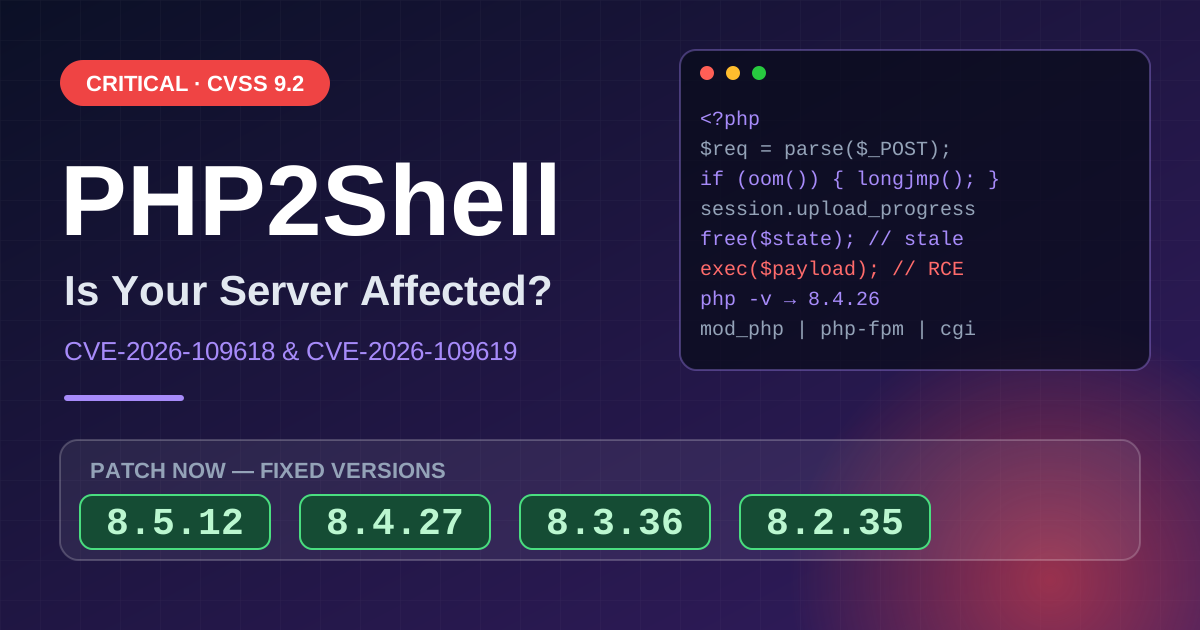
If your server runs PHP older than 8.5.12, 8.4.27, 8.3.36 or 8.2.35, update now. On October 21, 2026, the PHP team released fixes for two critical flaws, CVE-2026-109618 and CVE-2026-109619, known together as PHP2Shell. Both score 9.2 on CVSS v4.0, and both can let an unauthenticated attacker run code remotely on a server.
This is a server-side issue. Most site visitors don’t need to do anything. Website owners, developers and hosts do. Updating WordPress, a theme or plugins alone won’t close the hole.
Below: which versions are affected, how to check yours, what to do if you can’t patch today, and answers to the questions people are asking
What is PHP2Shell?
PHP2Shell is the collective name for two vulnerabilities in the PHP engine itself, not in any one app or CMS.
- CVE-2026-109618: PHP handles out-of-memory errors by exiting the current context with longjmp(), which can interrupt PHP while request data is only partly initialized.
- CVE-2026-109619: PHP retains global state that points to memory owned by a request.
Every PHP installation that serves web requests is affected, including PHP-FPM, Apache with mod_php, php-cgi, FrankenPHP and LiteSpeed. PHP assesses the risk as greatest for mod_php, because a demonstrated exploit lets an unauthenticated request trigger the flaw before application-level code runs.
Why this PHP bug is different
It happens before your application code runs. That has three practical consequences:
- A current CMS doesn’t protect you. Automattic said researchers demonstrated attacks against current WordPress, Drupal and Joomla installations.
- Maintenance mode doesn’t protect you. PHP parses the request before the CMS checks its maintenance flag, so a “down for maintenance” page on an unpatched runtime is still a live target.
- Memory can leak without a shell. SentinelOne advises rotating any credentials, tokens and keys a PHP worker could hold in memory on exposed, unpatched systems.
Timeline: how it unfolded
- October 20: The PHP security team announced it would release fixes on October 21 at 14:00 UTC. The same day, details leaked early.
- October 21: Leaked details and circulating proof-of-concept exploits forced PHP to accelerate its release. Cloudflare said it saw attack traffic before the release.
- Reaction: Security researcher Kevin Beaumont expects a mass of incidents and called it one of the biggest vulnerabilities in years. Malwarebytes reported that some sites went into maintenance mode while administrators patched.
Affected and fixed PHP versions
| PHP branch | Affected | Fixed in |
|---|---|---|
| 8.5 | 8.5.11 and earlier | 8.5.12 |
| 8.4 | 8.4.26 and earlier | 8.4.27 |
| 8.3 | 8.3.35 and earlier | 8.3.36 |
| 8.2 | 8.2.34 and earlier | 8.2.35 |
| 8.1, 8.0, 7.4 | Affected | Minimal source backports only |
| Older than 7.4 | Affected | No official fix |
Because the flaws are so severe, the PHP security team also released minimal source backports for PHP 7.4, 8.0 and 8.1. OVHcloud advises planning a migration to a supported version if you run anything older than 7.4.
How far back does it go? Cloudflare says the vulnerabilities affect all web servers running PHP 5.4 or later.
Planning note: PHP 8.2.35 reaches end of life on December 31. If you’re patching 8.2 today, schedule your move to a newer branch too.
How to check if you’re affected
Step 1: Find your PHP version.
- Run
php -von the server. - PHP-FPM may be named
php-fpm8.3,php-fpm84and so on, so check the version of the binary that actually serves web traffic. - To see whether Apache loads mod_php, run
apachectl -M | grep -i php. Any output means it does.
Step 2: Check your package, not just the number.
f PHP came from distribution packages, check the package changelog, because the version number may stay the same after a backported fix. On Ubuntu 24.04, for example, the fixed package is 8.3.6-0ubuntu0.24.04.13. Compare yours against your distribution’s security advisory.
Step 3: Look beyond your main servers.
The Canadian Cyber Centre advises identifying third-party products, appliances and containers that include vulnerable PHP components. Docker images and vendor appliances are easy to miss.
On shared or managed hosting? Hosting providers and site operators carry the fix, not the end user. Ask your host which PHP build you’re on and when it was patched.
How to fix PHP2Shell
Updating PHP is the only complete fix. The PHP team states that there are no complete mitigations.
- Update the runtime that serves web requests. That means PHP-FPM, mod_php or CGI, not the application on top of it.
- Start with internet-facing systems.
- Restart PHP-FPM or the web server. A patched file on disk doesn’t help if the old code is still in memory.
- Verify the version with
php -vafter restarting. - Check logs from October 20 onward. ServiceNow’s Armis guidance recommends hunting in the logs from well before October 20.
Can’t patch today? Interim mitigations
Treat these as a stopgap only. The mitigations in PHP’s advisory reduce exposure to specific paths but don’t make an installation safe.
For CVE-2026-109618:
- Set memory_limit=-1 in a way applications can’t override, set a low post_max_size, and enforce request size, multipart, header and nesting limits at the web server or proxy.
- Trade-off: removing the memory limit means one request can use all of the instance’s memory.
For CVE-2026-109619:
- Set session.upload_progress.enabled=0, set fatal_error_backtraces=0 on PHP 8.5, and restart all workers.
- Set it in php.ini or the server config, not via ini_set() or .user.ini, because it must take effect before request parsing.
- Trade-off: PHP’s session-based upload progress stops working.
The warning that matters: PHP core developer Gina Peter Banyard said the only mitigation is patching or upgrading PHP. If a system can’t be fixed, the UK’s NCSC urges organizations to consider taking it offline.
Does a WAF protect you?
Partly, as a stopgap. Cloudflare says customers using its free or paid WAF have been protected by default against PHP2Shell since 3:02 am UTC on October 21. But:
- Cloudflare itself describes this protection as a stopgap that doesn’t fix PHP or guarantee coverage of every exploit vector.
- It only covers traffic proxied through Cloudflare. Requests that reach your origin directly bypass it.
- Cloudflare observed attackers mutating payloads to try to bypass its protections.
For other WAFs or reverse proxies, Patchstack suggests rejecting or inspecting multipart POST requests to endpoints that don’t accept file uploads. Test first, because it can break legitimate uploads.
Signs you may already be compromised
Unexplained PHP worker crashes or restarts are one signal worth checking for. Also follow the Cyber Centre’s guidance: investigate unexpected processes, commands, files, accounts or outbound connections associated with PHP or web-server services.
If you find signs of compromise:
- Isolate the affected system, preserve evidence, rotate exposed credentials, and rebuild from a trusted baseline where necessary.
- Remember that patching doesn’t remove persistence or malicious code already present.
Key takeaways
- Update PHP, not just your CMS. Fixed versions: 8.5.12, 8.4.27, 8.3.36, 8.2.35.
- Restart services after patching, then verify with
php -v. - Mitigations and WAF rules are stopgaps, not fixes.
- Check logs and rotate credentials on any internet-facing host that stayed unpatched after October 20.
FAQs
Related Articles
- PHP2Shell: The Critical PHP Bug Putting Websites at Risk

- SEO Testing: A Simple Guide to Test, Measure and Win
- How AI Is Changing Website Development (And Why Production-Ready Websites Still Need Experts)
- Affordable Web Development Services for Startups: How to Launch Fast Without Burning Your Runway
- WordPress vs DNN (DotNetNuke): Which CMS Should You Choose in 2026?
- 10 Signs Your Website Is Hurting Your Business\ (And How to Fix It)