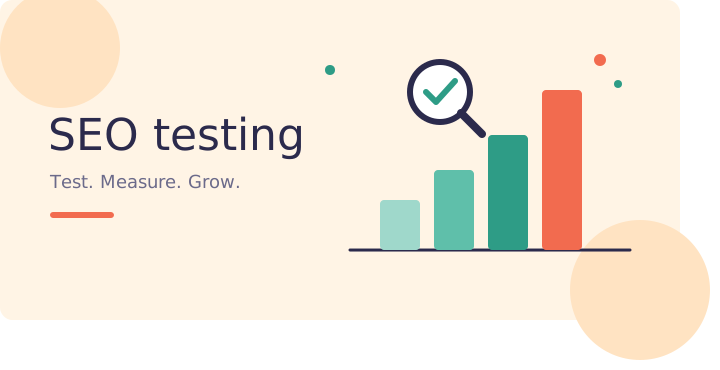
You changed a page title. Two weeks later, traffic went up. Was it your change? Or was it Google, the season, or plain luck?
This is the problem SEO testing solves. Instead of guessing what works, you test one change, measure the result, and keep only what helps.
In this guide, you will learn what SEO testing is, why it matters, and how to run your first test in simple steps.
What Is SEO Testing?
SEO testing means making a planned change to your website and checking if it improves your organic search results.
The change can be small. For example:
- Rewriting a title tag
- Adding an FAQ section to a page
- Improving page speed
- Adding internal links
The goal is simple: find out if the change caused more clicks, better rankings, or more sales. Not just if the numbers moved.
Why SEO Testing Matters
Search is a competitive place, and small gaps in position mean big gaps in traffic.
- A large Ahrefs study of about 14 billion pages found that around 96.55% of pages get no organic traffic from Google. Most pages are simply not seen.
- According to Backlinko’s study of millions of results, the top result on desktop gets about 27.6% of clicks. Results lower down get far less.
- Only about 0.63% of searchers click anything on page two (Backlinko, 2025).
- Moving a page from position 8 to position 3 can bring roughly 5 times more clicks.
These numbers show one thing. A small ranking gain can change your traffic a lot. Testing helps you find those gains with proof instead of opinions.
What Can Testing Really Do? Real Examples
SEO testing does not always give big wins, and that is normal. Most tests give small or neutral results. But the wins add up.
SearchPilot, a company that runs SEO tests for large websites, has shared tests with more than 10% organic traffic growth. One test, which added pros and cons sections to product pages, reportedly gave a 50% lift.
Also keep this in mind: Google now shows AI Overviews on many searches. An Ahrefs study of 300,000 keywords found the top page had a click rate about 34.5% lower when an AI Overview was present. Search keeps changing, so what worked last year may not work today. Testing keeps you current.
Types of SEO Tests
There are three main ways to test.
1. Before-and-after test
You make a change and compare results before and after.
2. Split test (control group vs. variant group)
You pick a group of similar pages (for example, 50 product pages). You change half of them and leave the other half alone. Then you compare the two groups.
3. Time-based test
You change a page, wait, then change it back or try a new version. You measure each period.
How to Run Your First SEO Test (Step by Step)
Step 1: Pick one clear goa
Choose one number to improve. For example: organic clicks, click-through rate (CTR), or average position. Do not chase all three at once.
Step 2: Write a simple hypothesis
Use this format:
If we [change], then [result] will improve because [reason].
Example: If we add the year and a benefit to our title tags, then CTR will improve because searchers will see the page as fresh and useful.2
Step 3: Choose the right pages
Start with pages that already get some impressions. Pages ranking in positions 4 to 20 are often the best choice. They are close enough to the top that small changes can move them.
Step 4: Change only one thing
If you change the title, the content, and the images together, you will not know what worked. One change per test.
Step 5: Run the test long enough
Give your test at least 2 to 4 weeks. Search results move slowly, and Google needs time to crawl and process your update. Ending a test after three days is a common mistake.
Step 6: Measure and compare
Use Google Search Console to check clicks, impressions, CTR, and position. Compare the test period with the earlier period, or with your control pages.
Step 7: Keep, drop, or retest
If the change helped, roll it out to similar pages. If it did nothing, drop it and move on. If the result is unclear, run it again.
A Simple Example
These numbers are made up to show how it works.
| Metric | Before (4 weeks) | After (4 weeks) | Change |
|---|---|---|---|
| Impressions | 20,000 | 20,500 | +2.5% |
| Clicks | 420 | 574 | +36.7% |
| CTR | 2.1% | 2.8% | +0.7 points |
| Average position | 6.4 | 6.2 | Small gain |
Impressions barely moved, but clicks went up a lot. This tells us the new title tag made the page more attractive in search results. It did not change the ranking much. That is a useful, specific lesson.
What to Test First
If you are not sure where to start, try these ideas:
- Title tags: add numbers, the year, or a clear benefit
- Meta descriptions: write a short reason to click
- Headings: match the words people actually search
- Content updates: refresh old posts with new facts
- Internal links: link from strong pages to pages that need a boost
- Page speed: compress images and remove heavy scripts
- Structured data: add FAQ or review markup where it fits
Free and Paid Tools for SEO Testing
- Google Search Console (free): your main source for clicks, impressions, CTR, and position
- Google Analytics (free): shows what visitors do after they land
- PageSpeed Insights (free): checks speed and page experience
- Semrush or Ahrefs (paid): track rankings and compare competitors
- SearchPilot (paid): built for split testing on large sites
For most small and mid-size websites, Search Console plus a simple spreadsheet is enough to start.
Common SEO Testing Mistakes
- Changing too many things at once. You will not know the cause.
- Stopping too early. Wait at least 2 to 4 weeks.
- Ignoring seasons. A shoe store will see traffic changes in winter no matter what you test.
- Testing pages with very little traffic. Small numbers give noisy, unreliable results.
- Not writing things down. Keep a simple log of what you changed, when, and what happened.
- Trusting a single test. Repeat winning changes on a second group of pages before rolling them out everywhere.
Quick SEO Testing Checklist
- One clear goal
- One written hypothesis
- One change only
- Pages with real traffic
- At least 2 to 4 weeks of data
- A control group, if possible
- A log of every test
Final Thoughts
SEO testing takes the guesswork out of search. You do not need a big team or an expensive tool. You need a clear question, one change, and some patience.
Start small. Pick one page, test one idea, and record what happens. Over a few months, those small wins can turn into steady growth in organic traffic
FAQs
Related Artciles
- SEO Testing: A Simple Guide to Test, Measure and Win

- How AI Is Changing Website Development (And Why Production-Ready Websites Still Need Experts)
- Affordable Web Development Services for Startups: How to Launch Fast Without Burning Your Runway
- WordPress vs DNN (DotNetNuke): Which CMS Should You Choose in 2026?
- 10 Signs Your Website Is Hurting Your Business\ (And How to Fix It)

- WordPress vs Custom Development: Which Is Right for Your Business in India?